A portal is not a replacement for every conversation. Keep WhatsApp for advice and relationship management where it serves buyers. Consider a self-service ordering system for standardized actions such as browsing an approved catalogue, requesting a repeat order or retrieving an invoice.
1. Signs the message thread is doing database work
- Staff repeatedly request the same customer account details or product codes.
- Orders arrive as free text or images and must be retyped into another system.
- Buyer-specific prices, stock rules or approval limits require manual checking.
- Finance shares invoices and statements individually through messages.
- Customers ask whether an order has been entered, approved or shipped.
A few exceptions are not necessarily a problem. The decision becomes more relevant when the same corrections consume time across many repeat transactions.
2. Which channel should handle which task?
| Buyer task | Messaging works when | A portal may help when |
|---|---|---|
| Product enquiry | Questions require advice, negotiation or personal explanation. | Most items have standard descriptions, availability rules and customer-specific visibility. |
| Repeat order | Volumes are small and orders vary significantly. | Buyers reorder familiar product lists and need confirmation of what was submitted. |
| Pricing | Each order is a bespoke quote. | Pricing depends on consistent account, tier or contract rules. |
| Invoice or statement | Occasional manual requests are manageable. | Account holders repeatedly need access to authorized historical documents. |
| Support | A conversation is the best next step. | Buyers need order status first, with an option to contact a human. |
3. Plan the workflow behind the catalogue
Before choosing software, define how accounts are created, which items each buyer sees, how their commercial terms are applied, what happens to out-of-stock items, and who can approve a new order. Confirm whether invoices and statement data come from the accounting system or need a separate reconciliation step.
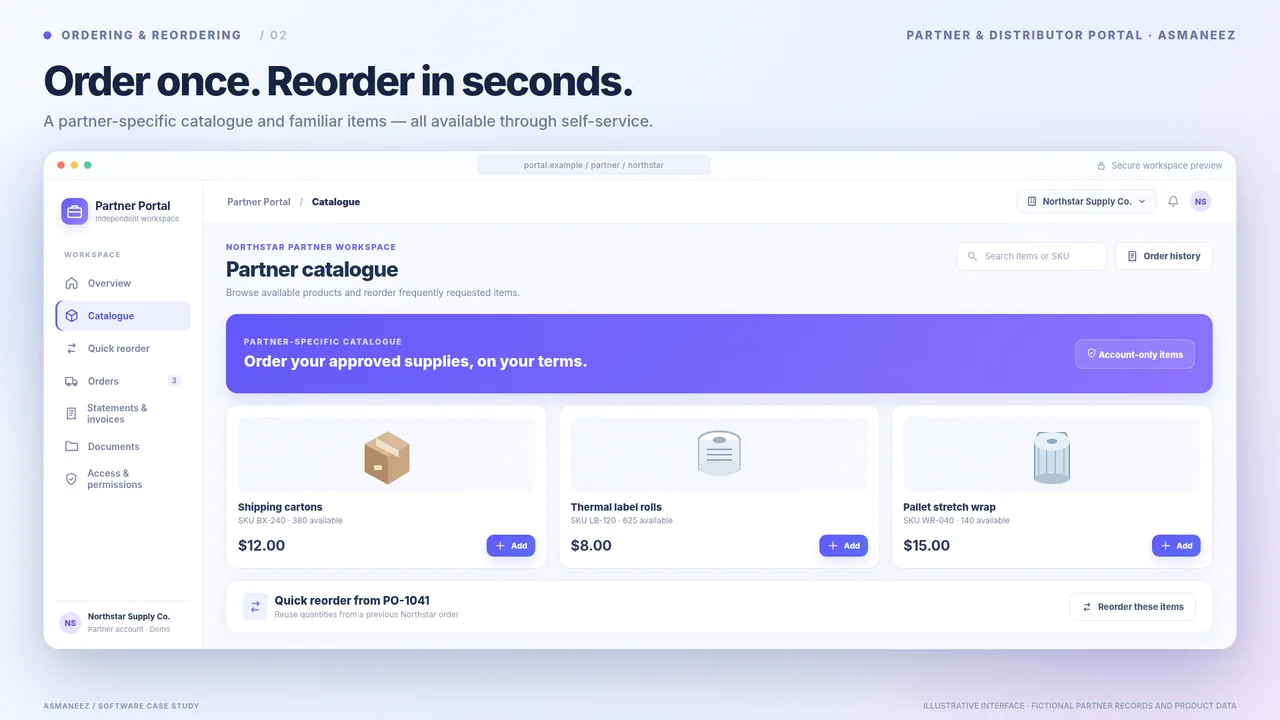
The Partner & Distributor Portal example illustrates a buyer workspace with quick reordering, order review, invoices and controlled document access. These screens are illustrative and do not constitute a verified customer outcome.
4. Roll out in stages rather than replacing everything
- Identify a repeatable pilot group: select customers who order predictable items and are willing to test a new process.
- Start with the catalogue and reordering: make products, pack sizes and account access accurate first.
- Connect approval and status: define who receives each order and how buyers know it was accepted.
- Add documents carefully: require account permissions before enabling invoice and statement access.
- Keep a human route: let customers request help, clarification and exceptions without forcing an unsuitable form.
5. Test whether the change helps the business
Before introducing a portal, capture a baseline: percentage of orders needing correction, time to register an order, number of statement requests, and repeat-buyer feedback. Evaluate the pilot against the same measures. Do not promise speed improvements before real usage data exists.
6. Requirements to bring to a project discussion
- Sample order, customer tier and product catalogue with sensitive data removed.
- Pack sizes, taxes, payment/credit terms and delivery options to consider.
- Existing accounting, ERP, inventory and customer-service systems.
- Permissions for buyer users, internal sales teams and administrators.
- Preferred starting market and actual language needs—not cloned city pages.
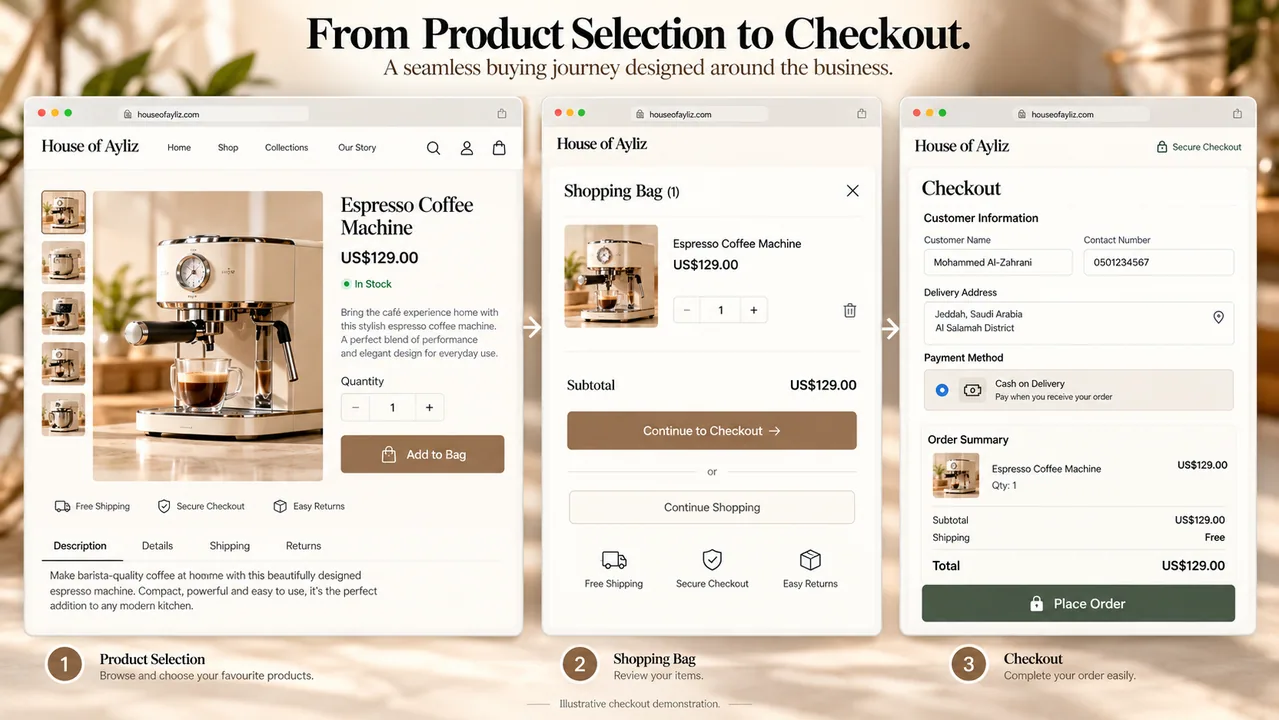
Use the Custom Commerce case study to explore catalogue-to-checkout interface patterns, and compare the constraints of your own operations. An ordinary off-the-shelf commerce product may be entirely sufficient; do not commission a custom build solely to replace chat.
This guide is an operational comparison, not a sales-performance claim. Your processes, permissions and regulatory obligations require separate review.